Followers

Thursday, 6 March 2025

Digital Arts: UX Testing & Feedback

 I have now tested my website by using UX testing, this is testing the user experience of my website.  Over the term I have created a user interface (front-end) design.  Therefore I created google form which I embedded into my website.  I then made site live and shared my website address wiyth my class so that they could test my site and give feedback so that I could improve and fix any ussues before assessment.

Here is my UX testing statistics and feedback


On my UX testing I only got four responses however any feedback is useful.  In this one person only thought the design was 'fair' so my site did not really appeal to that person.  My site will not appeal to everyone as not everyone is interested in photography/performance/film so I think as the majority stated that it was 'good' or 'excellent' I am happy with my homepage and I do think I will keep this as it is for the moment. 


On the navigation the majority stated 'excellent' so I am pleased with this as navigation is teh kjey to ese of use on my site and I really wanted nice and easy navigation throughout as it should be a pleasure to look through my site. 

On social link I got 100% 'excellent' so this great as all social links are clearly working and add to the site. 

My about page was not as well received as again I got 'fair', I clearly do not appeal to that person and perhaps the work I do is of no interest to them. The rest of the responses were 'good and 'excellent' so I think in this case I will be keeping this as it is for the moment.


On the contact page it was all 'good' or 'excellent' so this is clearly working well and serves it purpose with a good design.  


The portfolio page design had again mixed responses as I still had just one person writing 'fair' so again my site clearly does not appeal to them however all other responses are 'good' or 'excellent' so I believe that it is working well and it is good for the moment.


I was not expecting everyone to love my Trump film, I created it as I had to respond to the political situation it was an imperitive however I know that not everyone will agree and will not like my response and in fact if someone really hates my film that means that it has done its job - it would be so much worse if I had just had apathy!

With the mobile question I really needed to people to check whether my mobile site worked as the mobile version often plays up or has issues.  So I am fairly pleased - I think the 'fair' one is again the person who dislikes my site so otherwise I am pleased everything is working. 

I had some good comments here that are mostly positive - I will have a look at the social icons and make a decision whether to reduce the size - I tried it out here 


I think that perhaps smaller is better so that was useful feedback and thank you to everyone who completed this for me!


Sunday, 2 March 2025

Finalising Photography and Presentation

 My final post on finalising my work for Creative Media, in this post I will just put together the images I have shot inspired by Sunil Gupta's 'From Here to Eternity' (2020) where he had juxtaposed images of places with his treatment for illness with HIV and his life in his home.


I wanted to do this to to show my post-stoke world and the places I have been and where I am now.  I chose the doors as they are portals of time and all are significant.

I began with the easiest one for me to do 'safety/trauma'

I tried in both black background and grey background


When I practiced this I was veering toward the grey and gupta leave a gap between to the two but I think I do want mine to be totally connected. I will try the grey version and post some of these here. 


I am not going to actually discuss the reasons for each of these diptychs but photographically I think they all do work and I am happy with the results of the diptychs created.

I then added to my website.  I opened Wix I had already set up the front page and gallery page, so I began by just adding a title and paragraph introduction as previously and then I uploaded my images to the gallery I had chosen.  I also added a back to portfolio button above the gallery, I saved, previewed and then republished.


On the Gallery I also ensured that each images was titled so when these were opened the titles also appeared on the website page.  I am happy with the final look of the presentation here it is what I wanted it to be - I think with more time I would have made this a larger project and shot further images tahtI felt were important.
 
I have now rechecked and proofread this and ensured that all text was Palantino Linotype, I will now check the mobile view 

I checked the page and I reduced the size of the back button text and the main introduction on the mobile
 

On the main portfolio page I increased the text size on the button and saved and republished everything.  I then checked the live site on my mobile 


Photography Project Process: Actions

 The first half of this project was static with the doors where I waited patiently for the sun. This second half are the actions that go with this, to achieve the original concept.

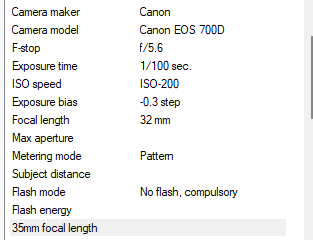
Here I set my DSLR camera on a tripod and unfortunately, I had left my remote at work so it had to be just using 2 and 10 second self timer which was more time-consuming and a little more restrictive. The camera was set on 200 ISO as in most of my flat the light was good due to the sun and I have a wide open aperture F4 to begin. All images were in black and white and portrait.

I chose my Sunday morning actions as these are rituals and I stick to these religiously as one should on a Sunday!
I created the contact sheets in Photoshop and I just needed then to think about how I would place my images together.


Here are a few images from the shoot that I think will work


I liked this one with just my hands, the images in the kitchen were the worst lighting as it was mixed light and there is limited space.  


I liked this one in the bedroom I think the light and the exposure are good and it may work well in the final work


I like this out of focus shot all the action fall to the background as it moved out of focus I may play with this shot and see how I might pair this. 

I now have all the shots, I still would have probably shot all these again but limited time means I do need to complete this now so my next post will be finalising and adding these to the website.


Saturday, 1 March 2025

Chapbook: Completion & Adding to Website

 After much rewriting and proofreading I have completed the final chapbook, 'The Pelican Case'.  I changed the order of chapters and rewrote the original chapter two completely.  I am still not convinced that I have told this story well and I do think it needs work, so for the moment it is compleet for this part but I will revisit later.

I have now uploaded as per the mock-up to FlipHTML5 and created a flipbook I then embedded this into my website just by clicking on the 'Add' tool and choosing 'Embed' I then aligned and used transform controls to put this in the correct place on the new page I had created on Wix. 


I then added a title, an introduction and a back to portfolio button so this was easy to navigate. The book should full page however I was having a few issues with this so I will try to embed again to make sure this this works.

I then added the front image for the portfolio page and link with the button 


This project is now complete and uploaded so I shall keep testing and just move my domain over to this site so I can publish...

As the flipbook was not opening on the desktop view when you clicked on the fullscreen I added a small note to ensure people knew to click on the arrow to get a fullscreen book


I also tested the mobile view, the fullscreen seems to work on this any way, everything else seemed to be correct I just needed to adjust the book container size and then adjust the footer on this page I saved this and published again


I checked everything on my mobile to ensure that everything worked and I made minor adjustments to the text as some of this was larger on my mobile than on mobile view and did not correctly fit the page.
Overall I think this now looks good on both mobile and desktop view and it should be just minor tweaks before the deadline for this term. 

Photography Project: Process - The Doors

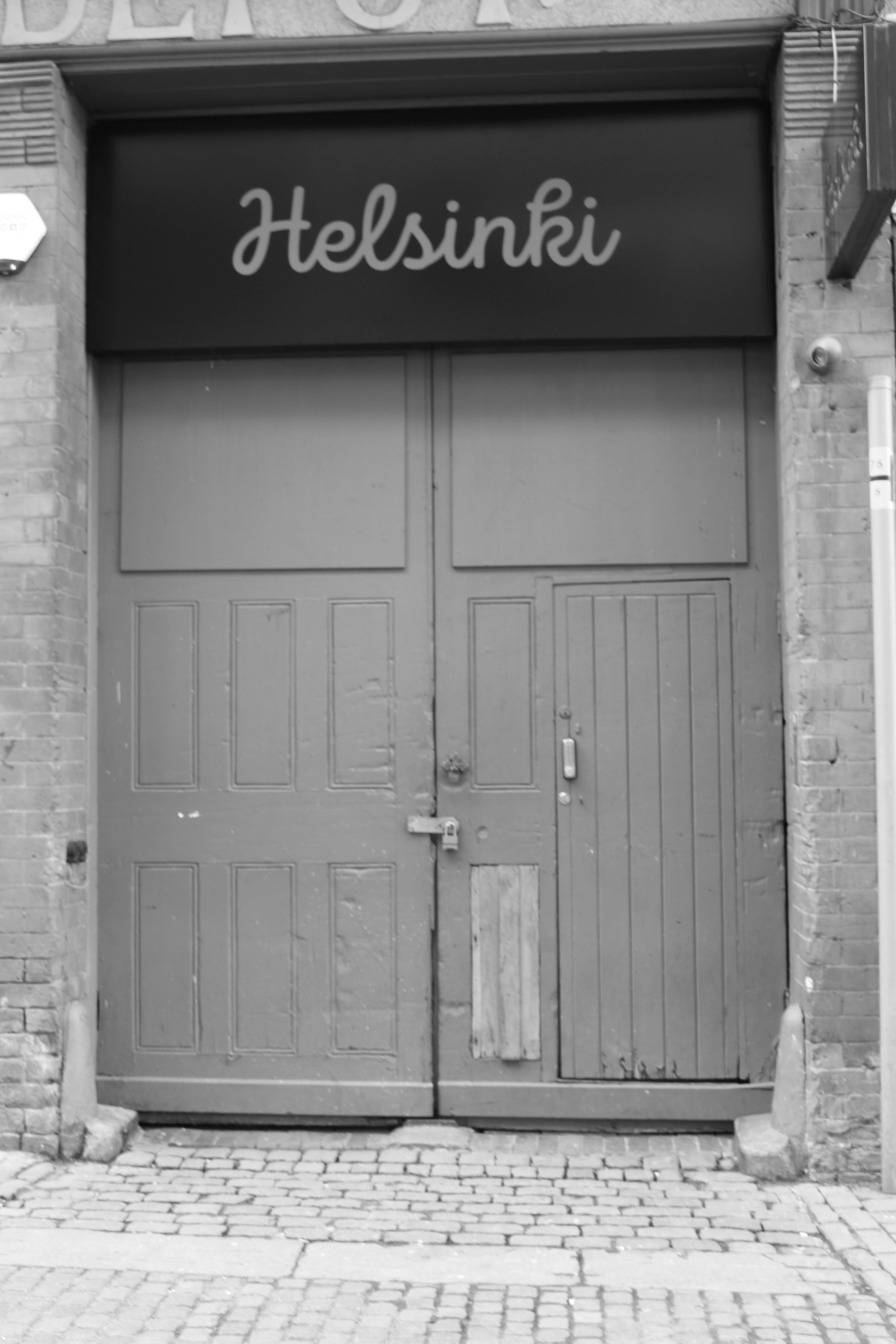
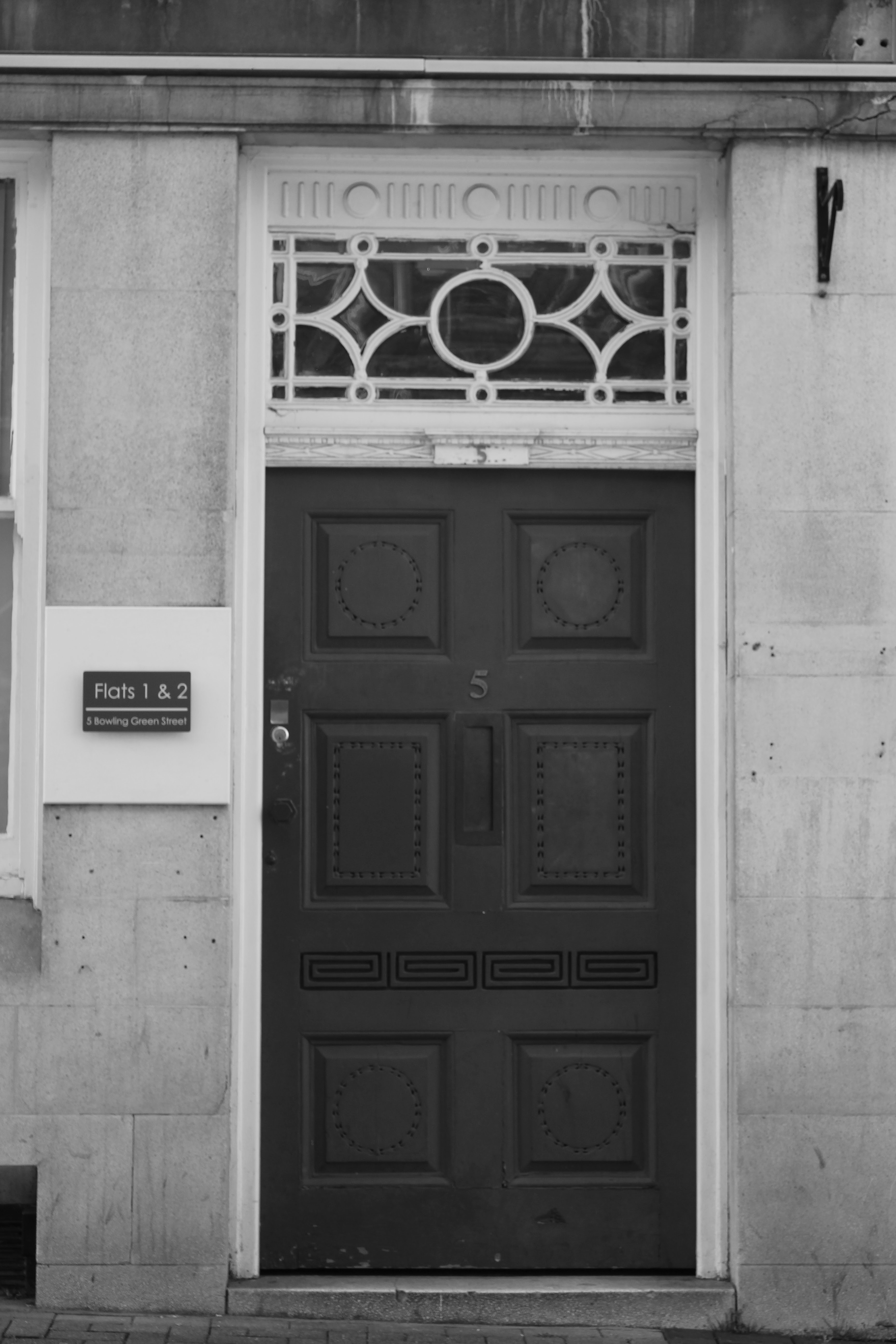
 Today, finally, the sun was shining and I was ready to take the first half of my photography project.  The idea here is that I wanted to take pictures of significant doors, these are doors that matter that I have walked through, sat in, lived through, doors that changed things, doors that live inside me.  I needed the doors...

I set my camera at 200 ISO, on aperture priority as I was wandering about I needed to capture the doors without people or interference, some of the doors had changed, one was under construction (or perhaps deconstruction). I shot in both colour and black and white however in my mind I saw them in black and white. 

Now my eyesight is not as good as it used to be I find the images hard to see once I have taken them on the screen so it is a bit like when I started I am unsure how well they have come out until I sit and process them.  

On my sojourn this morning, in the sunlight, I spoke to two young men from the Church of Jesus Christ of Latter Day Saints, talking about God and belief and they invited me to their church on Sunday, I then took some more photos and wandered to the health shop where he man in the shop when I was buying a bag for my healthy vegan treats said that the reason they are called handbags is because after battle the hands of men would be collected by women in the bags and this is how they knew the number of the dead.  I checked  this out and this is apparently true, they actually used to cut them off as it was easier to just carry the hands. I knew handbags were a little sinister!

I wandered home past the Hare Krishna people singing and the preacher, preaching and I was glad that I live somewhere so diverse, in a democracy where we can have the freedom that we have. 

I then added my images to a file on my desktop and On Photoshop created contact sheets 


I wanted them all to be portraits as the other half of this project is the self-portraits that I will complete shortly that go with the doors. 

Here are some of the images that I think will work well


This first image, is now, my own place, I have a wide aperture, shutter is quite slow as it was in shade so I overexposed by +7 - this worked quite well and the image is sharp.


I have never been in this place but I know this door, it is a shadow of another image a very long time agon in this door, I was smoking a cigar and sitting in this doorway, it was night and the scrapes to wall were prominent and dark.  This image is slightly soft and I will need to check for a sharper image, again slightly overexposed as it was in the shade and the shutter is slow which is why the slight blur, I will check other images however may reshoot this one. 


I lived here when I was a student, herthe light was good and very slight over exposure but I wanted the deepness of the door , the damage the battered heart


Here again the light was good, I underexposed to add more depth.  This door is contentious as I was unsure which was the original door on this street, it was to my solicitors when I got divorced - they are not there now - but neither am I.


This door to The Rutland and Derby has many connotations, for me, but now it is under construction - I think all the doors are consistent and will work together but I will work through these carefully to ensure I choose the best shot for each. 

This the first half - soon I will complete the second and I will see if my idea will work.....


Tuesday, 25 February 2025

Blog Update

 I am just checking my blog to ensure that I am up-to-date with work and I can see what is outstanding.


  • Project Sign Off Post (week 4) - Yes - posted
  • Initial Research post (week 4) - Yes, Yoko Ono Research 'Cut Piece' 
  • Project Plan - we will do this in class (week 5) - Yes completed on Visme
  • At least two research posts on other artists - Yes, Pippilotti Rist, Carolee Schneemann completed
  • Development and research post  - Digital Workshop - Practice Video on Clipchamp
  • A post on your target market - will complete in class - Client Profile completed 
  • At least two process posts - Clipchamp/rushes
  • Technical research post on software you will use - Photoshop in class
  • Post on creating gallery for film - Completed
  • Finalising your portfolio and adding to your website - completed film

I have completed all work and my webiste is nw ready for publication 

Monday, 24 February 2025

Website Update: Art Portfolio One

 Today we are just updating the website, I will add all my updates here.  I will also be adding a new portfolio page for my project in Art Portfolio One.

I began by updating the copyright from 2024 to 2025.  I did this by clicking on copyright text and just adjusting the number.  I then saved and republished 


I then checked all my social links were working and did not need updating - I need to remove X from my site which I will do.

I then checked my Home, Portfolio, About and Contact page.  I was happy with these and they all work well and I have buttons to navigate back home and back to portfolio,  I also checked these in the mobile view and everything is working including back to top button. 


I the needed to add a new image to front portfolio page.  To do this on Wix, I clicked on the add button in the tools menu.  I then clicked on upload image.  Once this was uploaded, I clicked on 'add to page' and then I positioned this carefully using gridlines and the tranform controls


I then added a new page for my project for this term.  Therefore I clicked 'pages and menu' and then clciked on 'new page'.  I then clciked into teh box and changed the name to my project title.  I made sure the box was underneath the portfolio page.  I then clicked on the three dots at the end of the box and clicked on 'subpage' in the dropdown box. Next I went back to my main portfolio page. I went to the 'add' button in the tools menu and then to 'button', I then customsed the button to match the others on the page and used the same font which was 'Playfair Display Bold' .  Lastly, I clicked on button and using the link icon, a dialog box opens and I chose the page (my new page) that I wanted it to link to. 


I then saved all my changed, I republished.  Then I checked that the button worked live. 

I then went to my blank page that I just created and I am going to add a title, introduction and back to portfolio button and I will add a box for film

I began by ading the title I did this by clicking on the 'add' button and the text and choosing 'Heading 1'.  I then ensured the the text was in the same font 'Playfair display' I changed the size to fit the page appropriately to 64pts.  I then aligned the text to the centre using the gridlines. 


I then repeated this process abvove and just added a 'paragraph' to the page - this will be where I add the introduction to my project.

The last things I need to do were to add the 'gallery' and a 'back to portfolio' button.  I clicked on the 'add' button tools menu and I chose 'Music and video' I then chose the youtube box which I dragged into my page.  I then added my video from YouTube by using the embed/share link.  I then added another button by clicking on 'Add' and then 'Button', I chned the text to 'Back to Portfolio' and I clicked n the link and in the dialog box chose the page I wanted it link to which was 'Portfolio'.  


I then saved all my changes and republished.  I then previewed andchecked everything work.  I was happy with these changes - this is now ready for final work.